





Key takeaways
- Competitor keyword analysis is the process of identifying the keywords similar businesses rank for, then using that data to find gaps and opportunities in your own coverage.
- Keyword gaps, the terms competitors rank for and you do not, hold the clearest opportunities. A gap report finds them fastest, though comparing exported lists in a spreadsheet also works.
- Prioritize keywords by search intent and relevance to what you sell, not by search volume. Ranking for irrelevant terms raises traffic and rarely raises conversions.
- Tool choice matters less than how you use the data. WordStream, Ahrefs, Google Keyword Planner, Moz, and Semrush all return competitor keywords at different depth and cost.
- Tools only show which keywords competitors rank for. Reviewing their pages manually shows how they use them, in headings, meta descriptions, and image alt text.
When a competitor outranks you, the gap is often in the keywords, not the effort. Competitor keyword analysis shows which terms are already sending them traffic and which of those terms you are missing. This guide covers the tools, the six-step process, and how to turn a keyword list into a plan.
What is Competitor Keyword Analysis?
Competitor keyword analysis is the process of identifying which keywords similar businesses rank for, then using that data to find gaps and opportunities in your own coverage. Tools like Ahrefs, Semrush, or SpyFu pull those keyword lists, and identifying your true SEO competitors is the first step. This analysis can reveal keyword gaps, strengthen your SEO strategy, improve rankings, and drive more qualified traffic to your website. This process is a core part of many professional SEO services, as it allows businesses to compete more effectively in search results by targeting keywords with proven demand .
Why Does Competitor Keyword Analysis Matter?
By understanding which keywords are effective for competitors, you can optimize your content, structure ad campaigns, and improve rankings in search engine results to reach a similar or larger audience. Here are more benefits of conducting a competitor keyword analysis:
- Identifies High-Value Keywords: It reveals the specific keywords that bring traffic to competitors, helping you prioritize keywords that are proven to perform well.
- Finds Content Gaps: By analyzing competitors’ keyword strategies, you can identify content opportunities where you could rank for keywords competitors may not be covering.
- Improves SEO and Paid Campaigns: Knowing what keywords competitors use in organic and paid campaigns can refine your own SEO and PPC strategies, making it easier to compete on popular search terms.
- Enhances Content Strategy: Competitor keyword analysis can inspire new content ideas and topic clusters that align with popular search terms, making content more relevant to target audiences.
- Provides Insights of Audience Intent: It provides insights into the search intent behind certain keywords, allowing you to tailor content or ads to meet specific customer needs and increase conversion rates.
5 Best Tools to Find Competitors' Keywords
Here are a handful of tools for sourcing competitors' keywords:
1. WordStream
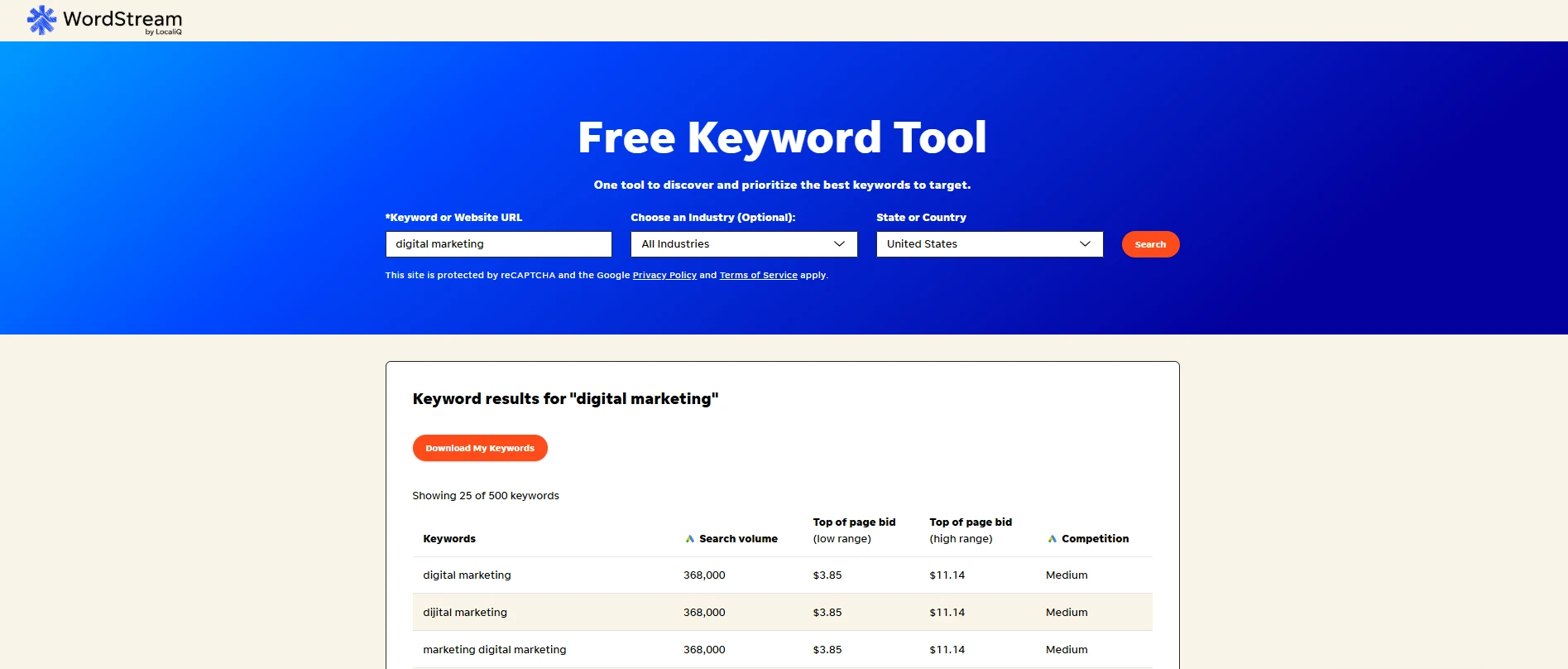
If you want to know how to find out what keywords competitors are using, WordStream is for you! This competitor research tool lets you enter a competitor's website URL and discover the keywords they incorporate into their content. WordStream is free and needs no account. Enter a competitor's URL and it returns the top 25 keywords right away, then emails the full list if you provide an address.
2. Ahrefs Site Explorer
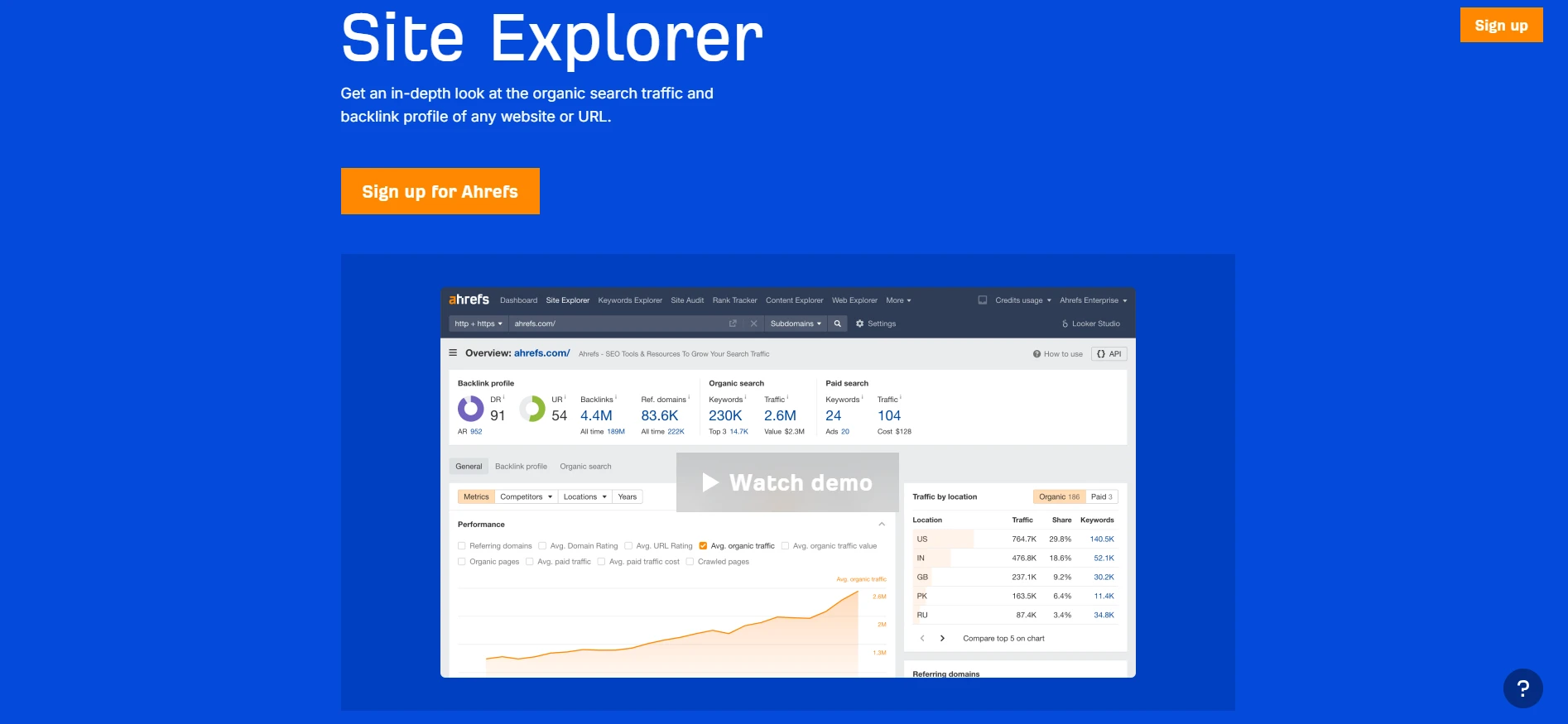
Ahrefs Site Explorer is one of the most popular competitor research tools on the internet, and for good reason. Unlike some other tools, you get access to a competitor's full keyword profile instead of just a few keywords, and you can filter results based on various criteria. You can also differentiate between keywords used in organic and paid search campaigns.
3. Google Keyword Planner
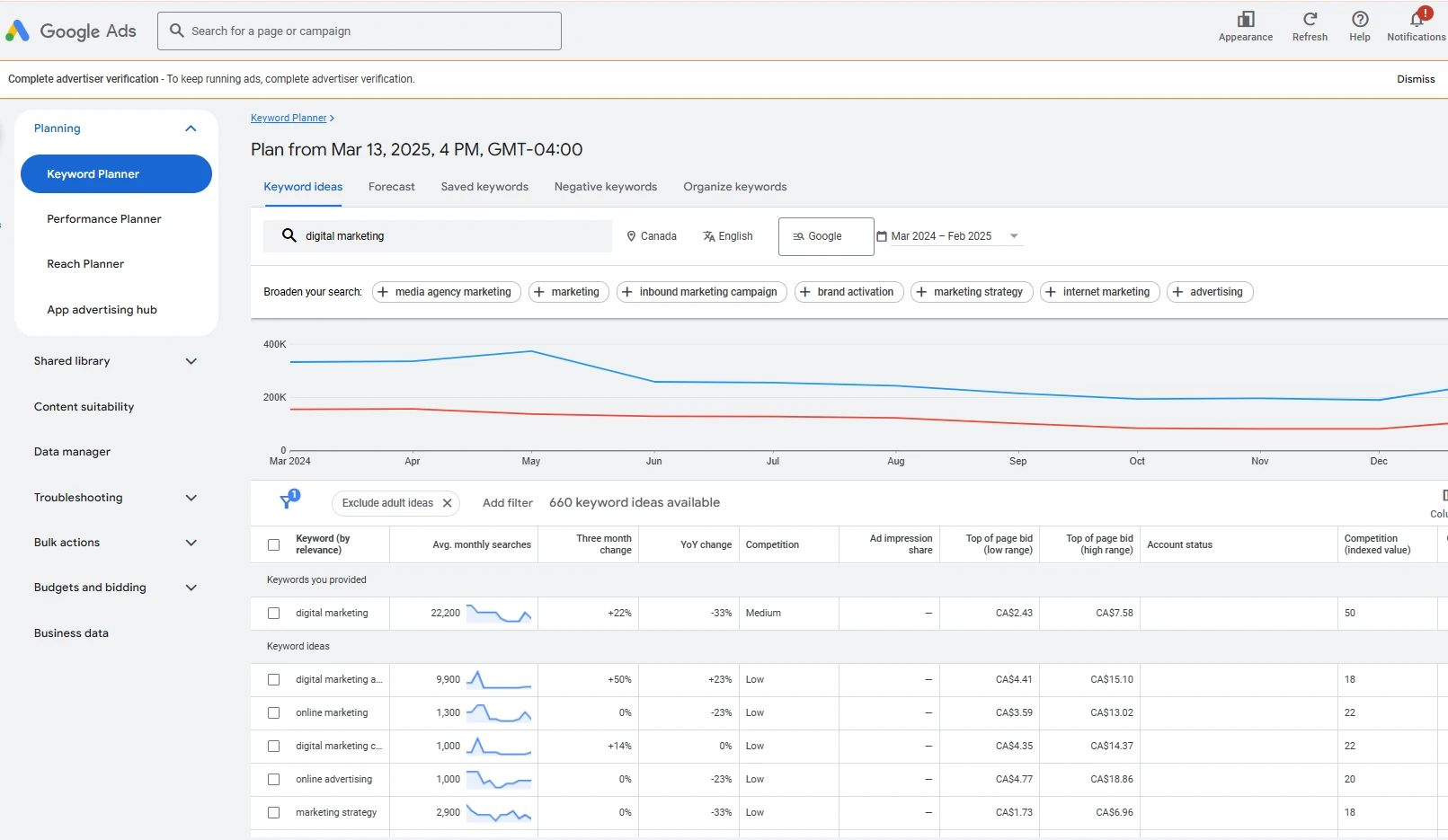
Google Keyword Planner is another one of the best keyword tools out there. It lets you find competitors' keywords and filter results by average monthly, quarterly, or yearly searches, helping you plan your SEO campaigns. You can also download keyword analysis reports as a Google Sheets or CSV file, making it easy to share insights with your team.
4. Moz Keyword Explorer
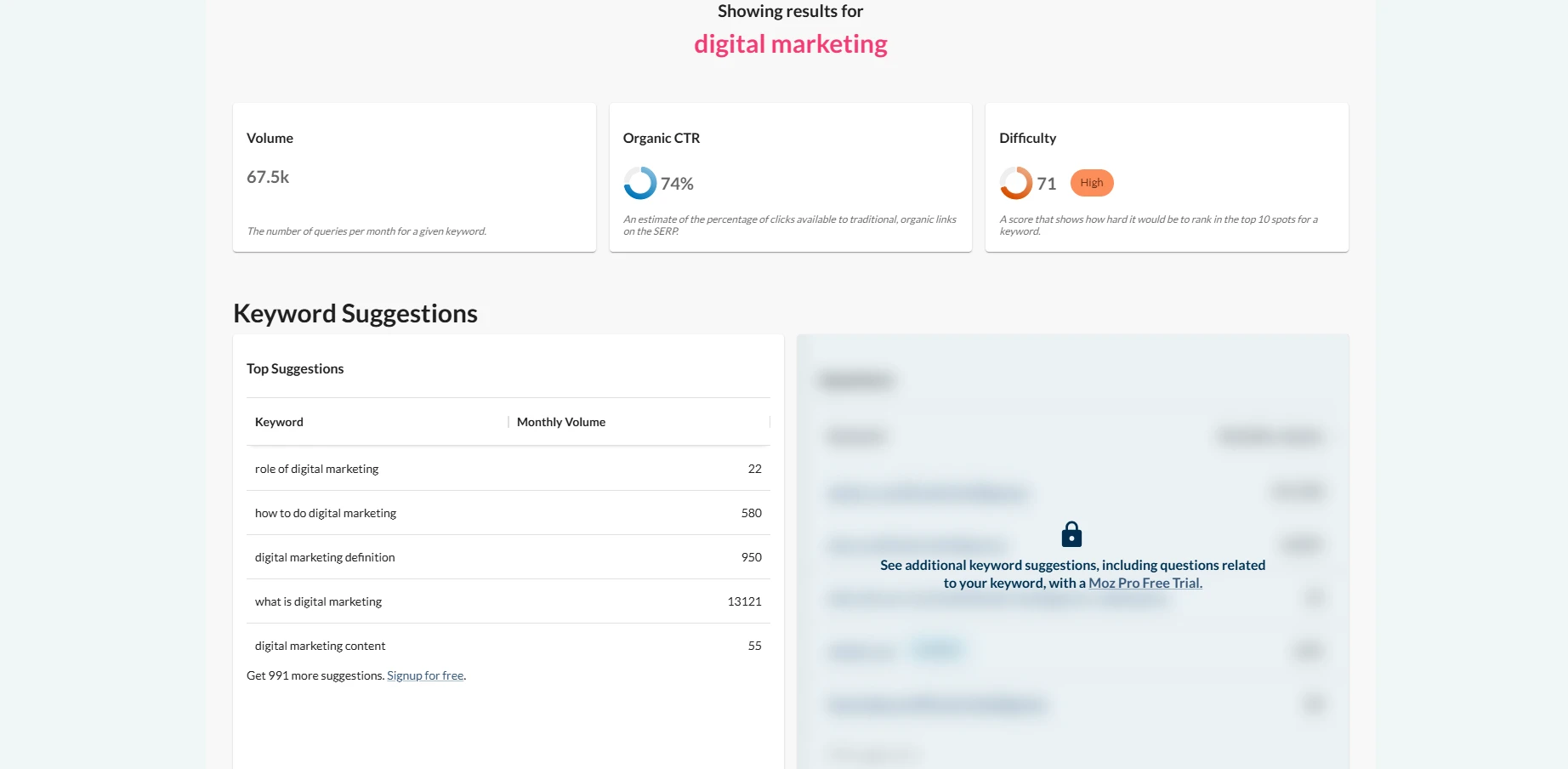
Want to know how to identify competitors? Moz Keyword Explorer provides free SEO keyword analysis, helping you determine the right keywords for your campaigns. You can also view insights about competitors' domain authority and overall SEO effectiveness.
5. Semrush
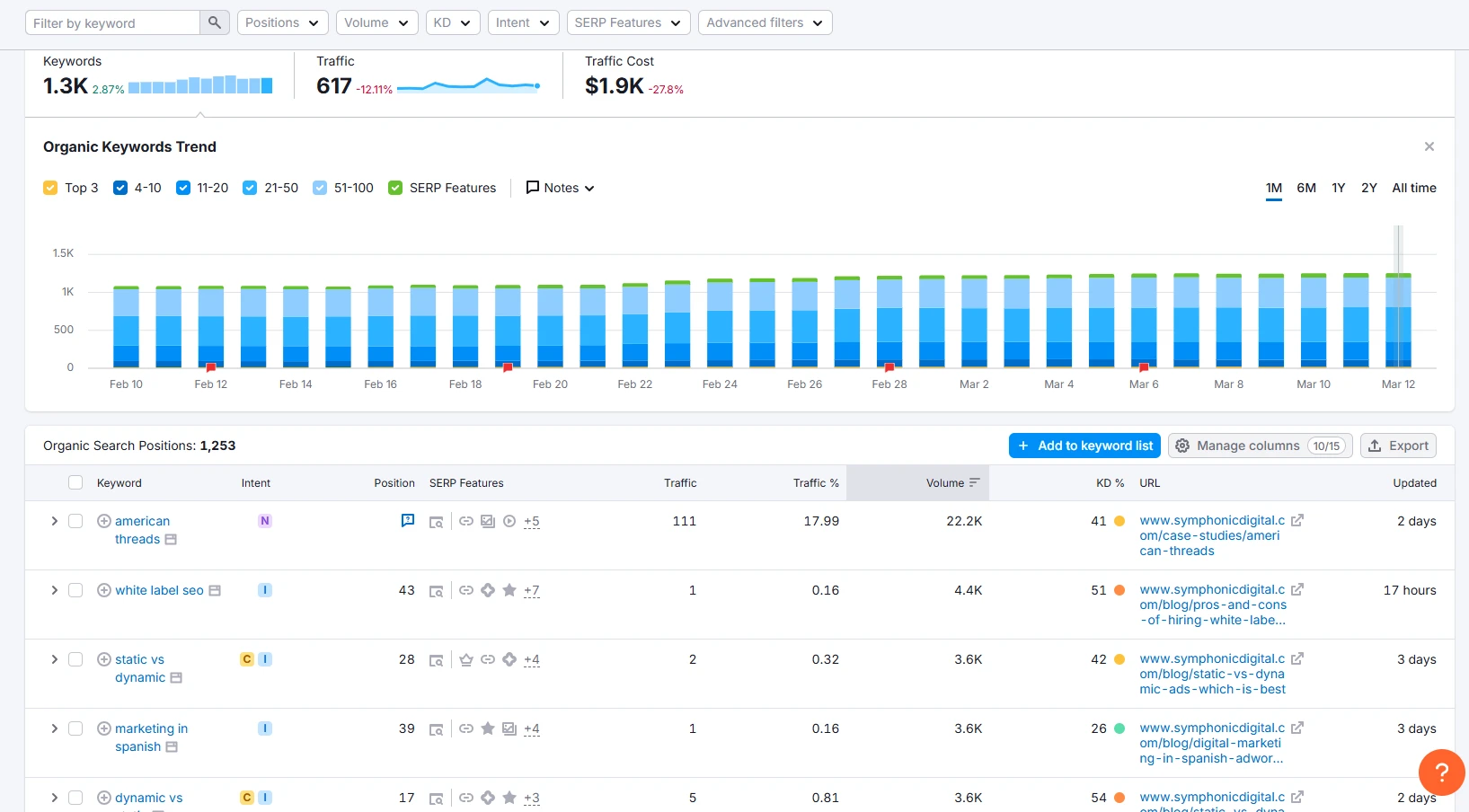
Semrush identifies the strengths and weaknesses of your competitors' campaigns, providing you with real-time intelligence for your own SEO strategies. You can also learn about your rivals' unique audience count, user engagement metrics, site visitor numbers, and other benchmarks.
How Do You Find Competitors' Keywords?
Finding competitors' keywords takes six steps: identify your real competitors, choose a tool, pull their keyword lists, find the gaps, read the patterns, and keep tracking. One thing has changed recently. People now search in full questions and prompts, not just short keyword strings, so a standard competitor export underrepresents how they actually phrase things. Our guide to SEO for AI-driven search covers that shift.
Step 1: Identify f Your Competitors
Start by identifying relevant businesses in your niche or region that offer similar products or services. Search your core offerings online, check social media, or ask your sales team to help build this list. Be sure to include those that compete with you online, not just the companies you compete with in sales.
This list should include:
- Direct competitors offering the same products or services
- Indirect competitors ranking for the same search intent
Not all competitors are created equal. Take the time to understand each rival’s unique value proposition, target audience, and market positioning.
Questions to ask yourself:
- Do they cater to high-end customers while you serve budget-conscious shoppers?
- Do they focus on a particular service niche that you don’t?
Knowing these differences will help you prioritize which competitors are most relevant to your SEO strategy and avoid wasting time on companies that don't directly compete with your brand.
Step2: Choose a Competitor Keyword Analysis Tool
With so many keyword analysis tools out there it’s important to pick the one that aligns with your needs and budget. Most tools allow you to enter a competitor’s domain and see:
- Organic keywords
- Paid keywords
- Keyword difficulty
- Estimated traffic
- Ranking pages
Take some time to explore the tool's features, such as keyword gap analysis or backlink tracking, to get the most comprehensive insights. At the end of the day, the tool you choose matters less than how you use the data.
Step 3: Identify Potential Competitor Keywords
Enter competitor domains into your chosen tool and export their keyword lists. No matter the tool you use, you’ll probably end up with a large list. Focus on keywords that:
- Have consistent search volume: Look for keywords that show steady monthly searches, not just short-term spikes. These terms signal ongoing demand and long-term ranking potential.
- Directly match your services or offerings: Prioritize keywords that closely align with what you sell or provide. Ranking for irrelevant traffic may increase visits, but it rarely leads to conversions.
- Align with search intent: This helps you map keywords to the right type of content
- Informational (users researching a problem)
- Commercial (users comparing solutions)
- Transactional (users ready to buy or convert)
- Intent is also shifting. Searchers increasingly open with long conversational queries in AI tools, a pattern covered in our guide to SEO for AI-driven search.
- Show realistic ranking opportunities: Evaluate keyword difficulty and current ranking pages.
Step 4: Recognize Keyword Gaps
A keyword gap is a search term your competitors rank for and your site does not. Gaps are where the clearest SEO opportunities sit, because the demand is already proven and you have no coverage.
Start by comparing competitor keyword lists against your own keyword rankings using a keyword gap or comparison report . These tools easily highlight keywords where competitors appear in search results while your site is missing entirely or ranking far behind.
If your keyword research tool does not offer a built-in keyword gap or comparison report, you can still identify gaps manually. Export both your keyword list and your competitors’ keyword lists into an Excel or Google Sheets file. From there, compare the lists to see which keywords appear for competitors but not for your website.
A simple way to do this is to:
- Place your keywords in one column and competitor keywords in another
- Use basic filtering or formulas to single out keywords competitors rank for that you do not
- Count how often certain keywords appear across multiple competitors to identify recurring opportunities
While this approach takes more manual effort, it allows you to uncover keyword gaps even without advanced SEO. A gap list is a starting point, not a plan. Before committing resources, estimate what each opportunity could return. Our complete guide to SEO forecasting walks through the formulas.
Step 5: Analyze Patterns and Trends
Keyword research isn't just about finding the most popular terms—it's about spotting trends that can give you a competitive edge. Look for trends such as:
- Repeated keyword themes
- Seasonal spikes
- Topic clusters competitors dominate
Many tools provide historical keyword data that reveals the popularity and search volume of specific keywords over time.
One caution. Matching competitor themes without adding a distinct angle produces work that reads like everyone else's, which is the content homogenization problem in practice.
Pro Tip: Using this information to plan content and campaigns that capitalize on these trends, will help you stay one step ahead of the competition.
Step 6: Track Your Competitors Regularly
Tracking competitors means rechecking their keyword lists on a set cadence rather than once. Competitors shift focus, publish new content, and change priorities, so a single analysis goes stale. Track your competitors to see if:
- They adjust their keyword focus
- Introduce new content strategies,
- Double down on particular search queries.
Regular monitoring ensures you can adapt your approach and maintain your competitive edge in the search rankings.
Manually Analyze Your Competitors' Websites
Keyword research tools only provide part of the story. Manual review helps you understand how competitors use keywords. To complete your competitor keyword analysis, review your rivals' websites and see where and how they incorporate keywords.
Start by looking at where keywords appear on high-ranking pages, whether competitors use target keywords in blog posts, landing pages, or resource content, and how often they are placed. Figure out whether rivals incorporate keywords in headers, meta descriptions, image alt texts, tags, and other online elements. Some of this information may not be visible in keyword tools, which is why manual review is essential. Browser extensions can help surface on-page SEO details quickly during this process. We love the MozBar Chrome extension for this!
Find Competitors' Keywords and Turn Insight Into Action
If another company in your niche or location appears higher on search engines than you do, it could be because of the keywords they use. Using competitor analysis research tools will identify these keywords and provide inspiration for your SEO or Paid campaigns, helping get better results on search engine results pages.
By combining competitor keyword research tools with manual analysis, keyword gap identification, and intent-based prioritization, you can build a smarter SEO strategy grounded in real data. This approach helps you focus on keywords that already drive traffic, close ranking gaps faster, and create content that performs across every stage of the funnel.
Competitor keywords can be complicated, especially if you've never researched them before. Working with a full-service digital marketing agency will streamline this process, allowing you to focus on other aspects of your business. At Symphonic Digital, we do all the hard work for you, so you can rank higher than your rivals and make more informed SEO decisions. If you’re ready to uncover competitor keywords and turn them into measurable growth, start by contacting us to request an SEO audit now!
Competitor Keyword FAQs
What is the difference between keyword research and competitor keyword analysis?
Keyword research starts with your own topics and looks for terms your audience searches. Competitor keyword analysis starts with a competitor's domain and reveals the terms already earning them traffic. The two work together. Research finds the opportunity, and competitor analysis confirms which terms have proven demand.
Can you find competitor keywords for free?
Yes. Google Keyword Planner is free with a Google Ads account, WordStream only asks for an email address, and Moz Keyword Explorer offers a free tier. Free tools limit how many keywords you can export and how deeply you can filter, so paid tools earn their cost once you are working at scale.
What is a keyword gap in SEO?
A keyword gap is a search term your competitors rank for and your site does not. Gaps point to demand that already exists in your market with no coverage from you. Most keyword tools include a gap or comparison report, and you can also find gaps by comparing exported lists in a spreadsheet.
How many competitors should you analyze?
Three to five is enough for most businesses. Include direct competitors offering the same products or services, plus indirect competitors ranking for the same search intent. Adding more competitors produces longer lists without much added signal, because the strongest opportunities repeat across the ones that matter most.
How often should you run a competitor keyword analysis?
Quarterly works for most markets, with monthly checks in fast-moving or highly competitive ones. Competitors adjust keyword focus, publish new content, and shift priorities over time. A single analysis goes stale, so treat it as a recurring review rather than a one-time project.
Should you target every keyword a competitor ranks for?
No. Prioritize keywords that match what you sell and align with the intent behind the search. A competitor may rank for terms serving a different audience, price point, or product line. Ranking for irrelevant terms raises traffic without raising conversions.



.png)


.png)






